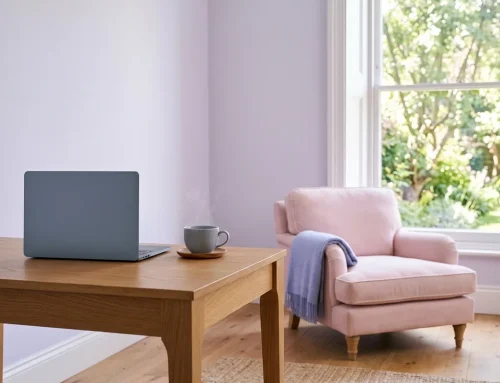


How to prepare for an online therapy session mostly comes down to four things: testing your tech ahead of time, choosing a private space, having a few practical details ready, and knowing roughly what happens during and after the call. None of it requires special equipment or technical skill — a working device, a quiet room, and a few minutes beforehand are usually enough.
This article walks through what to check beforehand, how to set up a private space, what to have on hand, and what to expect during and after your first virtual session.
How to Prepare for an Online Therapy Session: Tech Check
A few minutes before your first session, check that your device has a working camera and microphone, and that you have a reasonably stable internet connection. Sessions take place on a secure video platform; the link and joining steps arrive with your booking confirmation. Depending on the platform and your device, the link may open directly in a web browser or may ask you to install a short app first — your booking confirmation will say which applies. Either way, opening the link a few minutes early gives you time to allow camera and microphone permissions before the session itself starts. If you are joining from a phone or tablet rather than a laptop, propping the device up at roughly eye level tends to be more comfortable for a longer conversation than holding it in your hand.
It is worth doing this check well before your appointment time rather than in the last minute or two, since a permissions prompt, a software update, or a low battery is much easier to sort out with ten minutes to spare than with none. If you run into a technical problem you cannot solve on your own right before the session, contacting the clinic by phone or email lets your therapist know what happened, rather than leaving you wondering whether the appointment is still going ahead.
A Private Space
Your first online session deserves the same level of privacy as walking into the Mississauga office would: choose a room you can shut yourself into, somewhere you can speak freely without being heard by others in the house. Headphones are useful if you are sharing space with family, a roommate, or coworkers that day, and a private, secured Wi-Fi network is preferable to public Wi-Fi where that is an option. You do not need a dedicated home office — a parked car, a quiet corner, or a bedroom with the door shut can all work, as long as you feel able to speak freely without being interrupted. Our privacy policy explains more about how your information is handled, online and in person alike.
If you live with other people, letting them know in advance that you have a private appointment can be enough on its own to avoid an interruption — a closed door with no explanation sometimes invites a knock, while a quick heads-up beforehand usually does not. Pets and young children in the home are common, ordinary interruptions rather than something to feel embarrassed about; if one happens, your therapist will simply pause for a moment and pick back up once things settle.
What to Have Ready
If you were sent an intake form beforehand, filling it out ahead of time means you will not need to rush through it right before the session starts. It can also help to jot down a few things you would like to raise — this does not need to be a polished summary, just enough to jog your memory once the conversation begins. Individual sessions are $220 per hour; see our fees and insurance page for the full list. Keeping a glass of water nearby and giving yourself a few quiet minutes beforehand can help you arrive feeling less rushed, especially if the session follows directly after work or a busy morning.
It can also help to have a pen and paper nearby, in case you want to jot down something your therapist says or a thought that comes up partway through — some people find it easier to stay present in the conversation when they know they can capture a thought quickly rather than trying to hold onto it. None of this is required; some people prefer to simply talk without taking notes, and either approach is fine.
During the Session
Once the call connects, your therapist will introduce themselves, confirm a few practical details, and explain confidentiality and its limits before turning to the conversation itself. If your connection drops or freezes partway through, treat it as an ordinary glitch rather than a sign that anything is wrong with the session itself — it is worth asking your therapist at the start how interrupted time is handled. Beyond the screen, a first online session covers the same ground as one held at the office: your current situation, some relevant background, and an early sense of what you would like to focus on going forward.
After the Session
By the end of the call, you and your therapist will typically settle on when to meet again, though nothing obliges you to continue if the format or the fit does not feel right for you — naming that directly tends to be more useful than simply letting the next appointment slide. For anything logistical afterward — rebooking, a question about the link, a change of plans — email or a phone call to the clinic works fine; save the substance of your care for the next session itself.
Frequently Asked Questions
What if I do not have a laptop or computer?
A phone or tablet works fine for an online session, as long as it has a camera, a microphone, and a reasonably stable connection. Propping the device somewhere steady, rather than holding it for the full session, tends to be more comfortable and keeps the call from wobbling around.
Do I need to download an app before my first session?
It depends on your device and on how the session is set up — some setups open the session directly in a web browser, others work better with a short app install. Rather than guessing in advance, check your booking confirmation, which will say which applies to you.
Still have a question? Ask it in a free 30-minute consultation →
When to Reach Out
Ready to book your first online session, or still weighing whether the format is right for you? A free 30-minute consultation is available through our online scheduler. You can read more about how video sessions work on our online therapy in Ontario page.
References
- CRPO — Standard 3.4: Electronic Practice, College of Registered Psychotherapists of Ontario — requires informed consent for electronic communication and confirms the same professional standards apply as in-person.
- CRPO — Personal Health Information Protection Act (PHIPA), College of Registered Psychotherapists of Ontario — explains the confidentiality and security obligations that apply to regulated health professionals, including online sessions.
Related articles

Online Therapy
How Online Therapy Works in Ontario

Online Therapy
Is Online Therapy Private and Secure?
Online Therapy
In Person vs Online Therapy
Start with a free 30-minute consultation
Take the first step toward clarity and support. Meet with Ahmad Shihab online or in person at our Meadowvale office with no pressure or obligation.
Confidential & no obligation
In person & online across Ontario
Direct online scheduling via Jane App · Instant confirmation